Athlete wellness monitoring
Know how the squad feels before the first drill.
Athletes answer your club's own daily check-in on their phones. By the time staff arrive, readiness is scored, pain is mapped, and the few athletes who need a conversation are at the top of the list, each with the reason written down.
A daily check-in athletes actually answer
The wellness questionnaire is your club's own form, built in the platform's form builder and assigned to the squad with a daily deadline. Athletes fill it in on their phone in about a minute: sleep quality, fatigue, muscle soreness, stress and mood, hours slept, hydration, and a body map where they tap the exact zone that hurts and rate it from 1 to 10.
A push reminder goes out 30 minutes before the deadline to anyone who has not answered yet, and to nobody who has. The deadline runs on the club's clock, and when the squad travels across time zones staff can set a dated away-trip clock, so reminders and deadlines follow the team rather than each phone's settings.
When phones are not practical, a staff-run kiosk on a tablet asks the same questions and writes to the same record.
- Your own questions and deadline
- Push reminder 30 minutes before it
- Body map with 1–10 pain per zone
- Club clock and away-trip clock
- Staff kiosk as a fallback





A readiness score built on the Hooper index
The five subjective answers become a 0–100 readiness score using an equal-weight, Hooper-style index. Every item is asked in the same direction, 1 is best and 5 is worst, so athletes never have to work out which end of the scale is the good one. Each stored score records which version of the formula and which questions produced it, so a change to the model never silently rewrites history.
Hours of sleep and hydration are tracked beside the score, not inside it. Short sleep raises its own flag, under six hours or a drop of an hour and a half against the athlete's own recent nights, without distorting the readiness number.
Staff can add questions of their own. Mark a field as a tracked metric and it becomes an advisory column on the squad grid and a trend line on the athlete's page, without ever entering the readiness score. If a core question is hidden, the builder warns that scores will no longer compare with earlier ones, and it will not let the form drop below three.
Flags measured against the athlete, not the squad
A score of 70 means one thing for an athlete who usually sits at 95 and another for one who usually sits at 72. So each athlete's answers are compared with their own 28-day baseline, and only once that baseline exists: at least seven check-ins. A flag then has to clear two gates, a real deviation from the athlete's own norm and a raw answer bad enough to say out loud. A move from good to normal never becomes a medical alert.
Pain is handled on its own terms. Every reported zone is flagged for the coach to see. Hamstring, hip or Achilles pain at 4/10 or more, and knee pain at 6/10 or more, is escalated for medical review. Pain of 5/10 or more on one side only is flagged as an asymmetry, and a zone reported at consecutive check-ins is flagged as building up, counted in check-ins so a missed day does not reset it.
Every flag carries its source and the date of the data behind it. Once a check-in is too old to describe today, the flag is restated as a check-in gap instead of being shown as current.
- Own 28-day baseline
- Seven check-ins before a deviation can fire
- Statistical gate plus raw-answer gate
- Tissue-specific pain thresholds
- Dated evidence on every flag
Six pillars, one triage
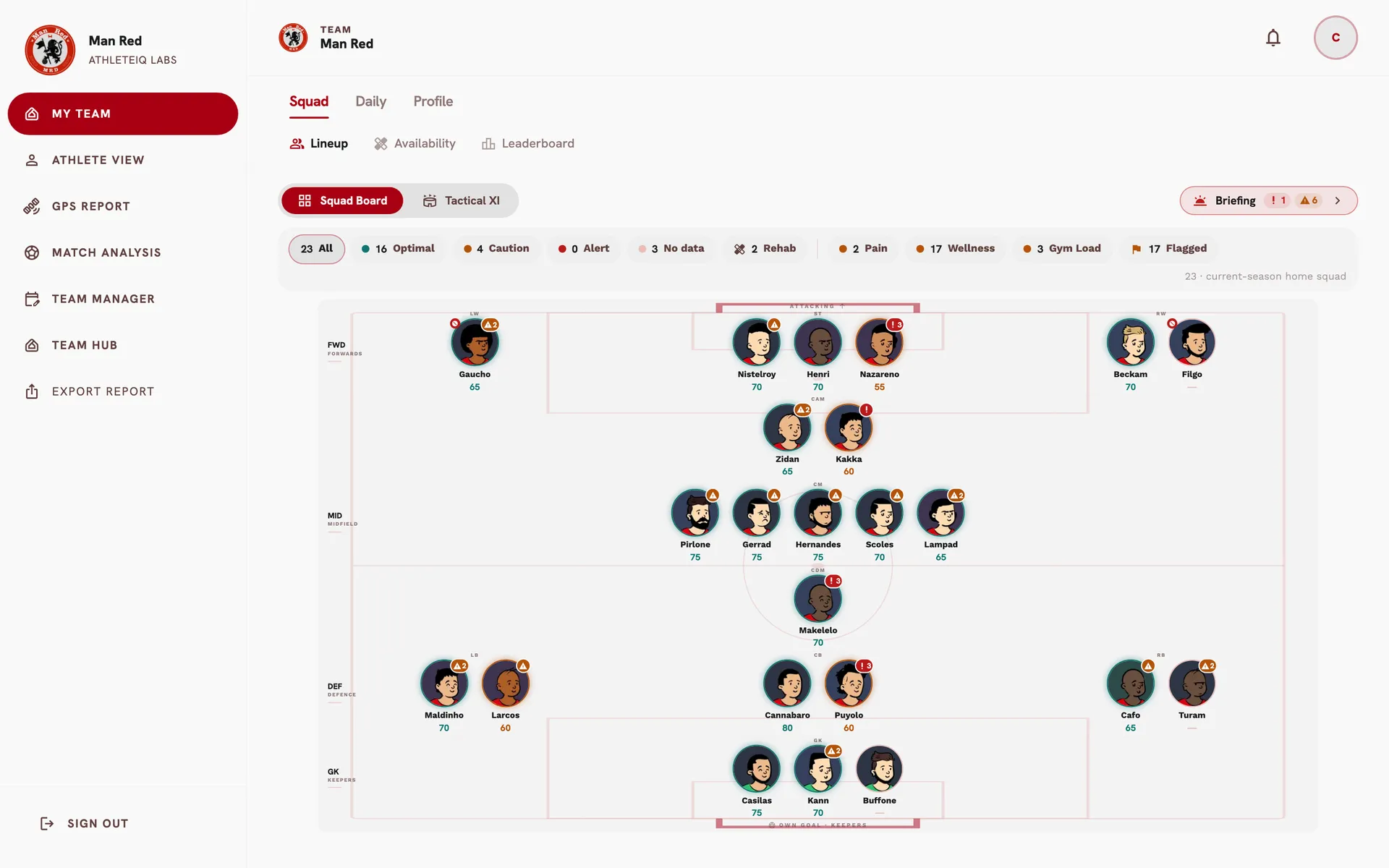
Wellness is one input. The same readiness monitoring engine reads six pillars for every athlete: pain, subjective wellness, neuromuscular tests, GPS load, gym load and limb asymmetry. It powers the Squad Board, the athlete passport and the Morning Briefing alike, so the three never disagree about a player.
The engine keeps two ideas apart. The ring around a player is capacity: the worst of wellness, pain and neuromuscular readiness, never an average that lets a good jump hide a bad night. The badge is findings, such as a load spike or an asymmetry the coach should know about, which do not on their own bench anyone. A player can read green and still carry a badge: available, and worth a word.
If a data source fails to load, the board says so instead of showing a clean squad. Missing data is never treated as healthy.
- Pain
- Subjective wellness
- Neuromuscular
- GPS load
- Gym load
- Asymmetry
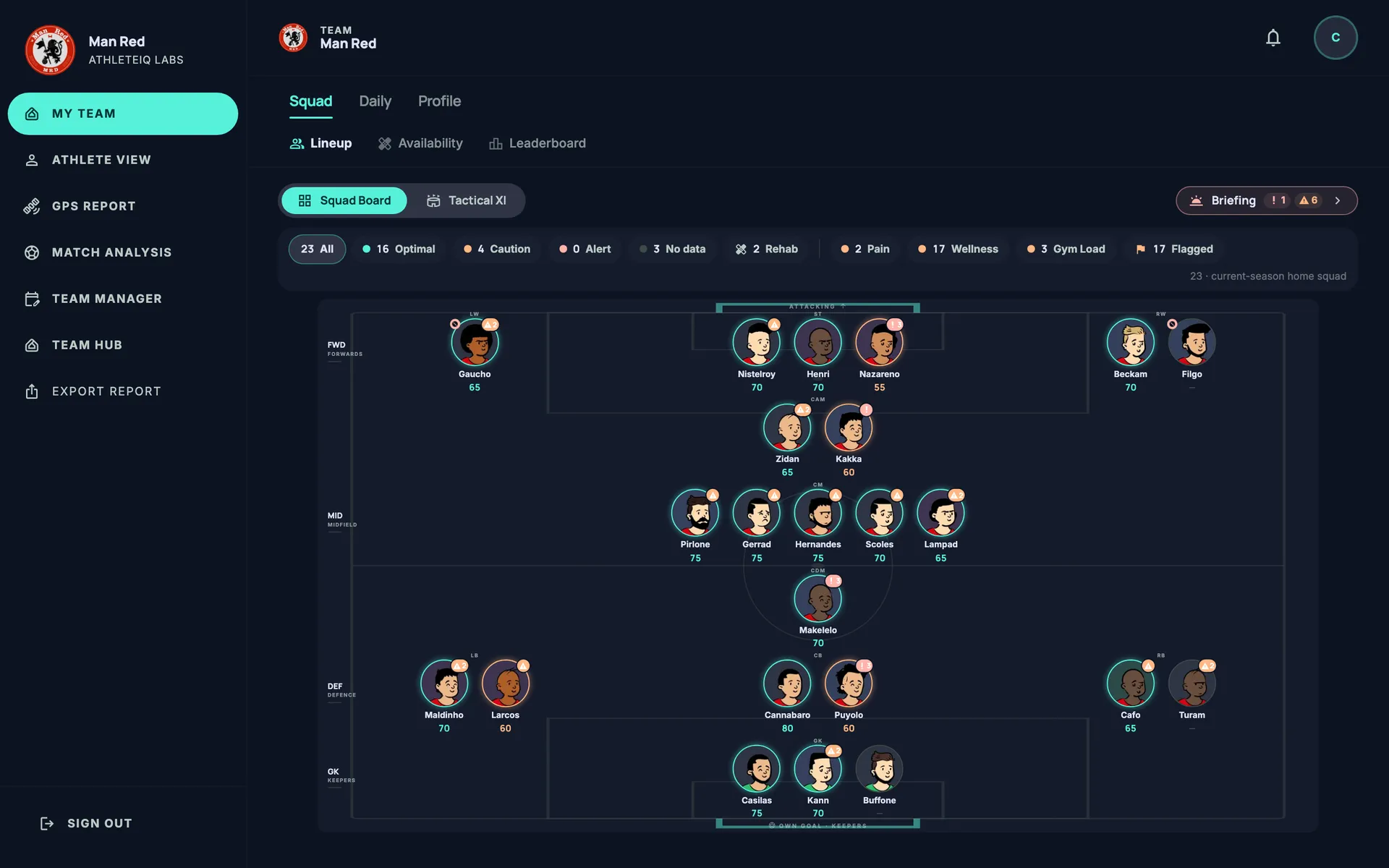
The squad grid, every morning
The Wellness tab lists the whole squad for the chosen day: readiness, the five answers, hours slept, hydration, triage, the last session effort (RPE) and any custom metrics. Only the bad end of each answer is coloured, so the rows that need attention stand out, and any reported pain lifts an athlete to Monitor even when the score looks fine. The grid sorts by readiness or by any of the core columns.
Athletes who have not answered appear as Not responded, with the date of their last check-in, never with yesterday's numbers. Answers that arrive after the deadline carry a Late badge. Open any athlete to see the reasons behind each flag and the zones marked on the body map, with whether each one is getting better or worse.
For analysis elsewhere, export the squad's daily wellness and session RPE over any date range as a CSV file.
From the check-in to the Morning Briefing
The Morning Briefing turns the morning's findings into one card per flagged athlete. Every line is cited to its source, the pain body map is listed zone by zone, and the verdict is computed by fixed rules, the same ones that colour the Squad Board.
On the athlete's own page, staff see the wellness trend against their baseline, last night's sleep, the pain log with how long each zone has been sore, session effort, and a compliance card: check-ins expected, answered on time, answered late and missed.
After matches, the same form system delivers a scored recovery checklist that opens the day after each game, with a reminder at 18:00 for athletes who have not filled it in yet.
Frequently asked questions
What does the daily wellness questionnaire ask?
It is your club's own form. The standard version asks for sleep quality, fatigue, muscle soreness, stress and mood on a 1–5 scale, plus hours slept, hydration and a pain body map. Staff can add their own questions or hide ones they do not use; the readiness score needs at least three of the five core questions.
How is the readiness score calculated?
The five subjective answers are combined into an equal-weight, Hooper-style index and expressed from 0 to 100, where 100 is best. On the Squad Board, overall readiness takes the worst of three scored domains, wellness, reported pain and neuromuscular tests, so one good result cannot hide a bad one.
Do athletes need to install an app?
No app store is involved. The athlete side runs in the phone's browser and can be added to the home screen. Push reminders arrive once the athlete allows notifications on that device.
What happens when an athlete does not answer?
They receive a reminder before the deadline. If they still do not answer, the squad grid shows them as Not responded with the date of their last check-in, and their compliance card counts the missed day. Old answers are never presented as today's.
Will it flood the staff with false alarms?
Deviation flags stay quiet until an athlete has seven check-ins of baseline, need both a real deviation and a meaningful raw answer, and load findings are shown as advisory rather than as a reason to rest a player. The aim is fewer flags that are worth reading.
Who can see an athlete's wellness answers?
Staff on the athlete's own team, such as the coaches, analysts and medical department. Athletes see their own submissions. Staff of other teams cannot see them.
See the morning check-in on a real squad view.
We will walk your staff through a morning at our demo club, from the first push reminder to the Morning Briefing, and show how your own questionnaire would run on it.
More of the platform
- GPS & training loadAthleteIQ Labs turns your GPS units' data into a daily, weekly and season view of training load, built for performance staff. Every number is read against that player's own history on the same day of the microcycle, squad averages leave out anyone who did not train in full, and the week you planned is compared with what the units actually recorded.
- Strength, gym & VBTBuild gym sessions from a real exercise library, send them to the whole squad, a training group or one player, collect what was lifted on the athlete's phone, and read strength, workload, force and velocity on the same squad you train on the pitch. Built for strength and conditioning coaches, fitness coaches and sports scientists in football.
- Medical & availabilityClinical records stay with the doctors and physios. Coaches see who is available, who is on modified duties and when an athlete is expected back, and players returning from injury are tracked phase by phase against the running they have actually done.
- Training planningPeriodise the season around the matches you actually play, build every session from your own drill library, and see whether the week you planned is the week the squad trained. One plan for the pitch and the gym, one calendar for the staff, and every training day labelled against the next match. Built for head coaches, fitness coaches and performance staff in football.
- Match analysisUpload the match event data you already receive, and AthleteIQ Labs turns it into a match report and a season analysis for your staff: possession, pressing, passing, chances and territory, with each player's GPS load and minutes from the same game on the same page.
- Club managementContracts, wages, payments, transfers and staff — managed by the club administration, with every deadline surfaced before it is missed, and the performance staff seeing only what they need.