Skip to content

Performance intelligence for football clubs

Every signal from every athlete.Read before training starts.

AthleteIQ Labs puts GPS, force plates, the gym, daily wellness, medical availability and match data into one record per athlete — and every morning tells your staff who needs a conversation, and why.

See a day at the club

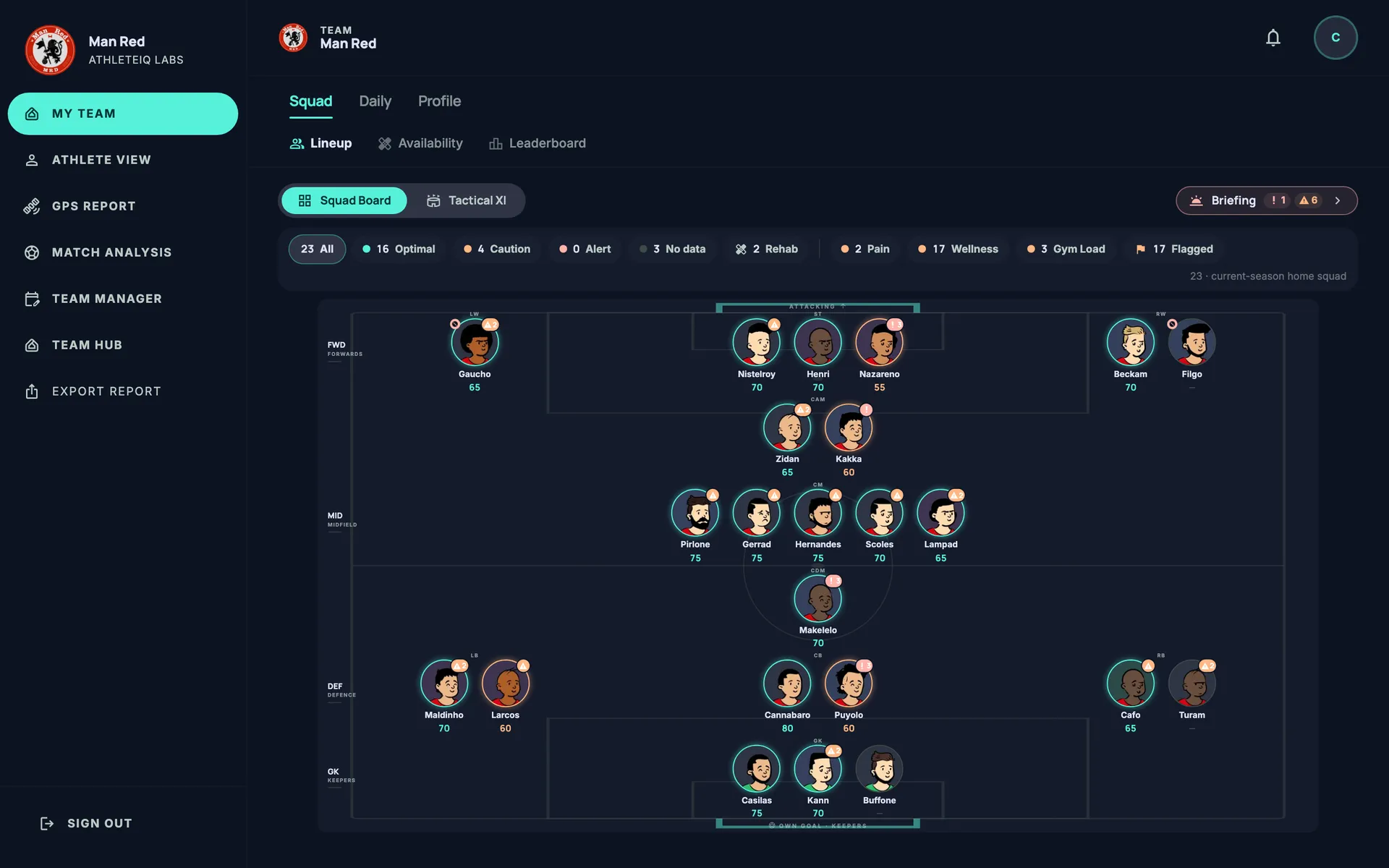
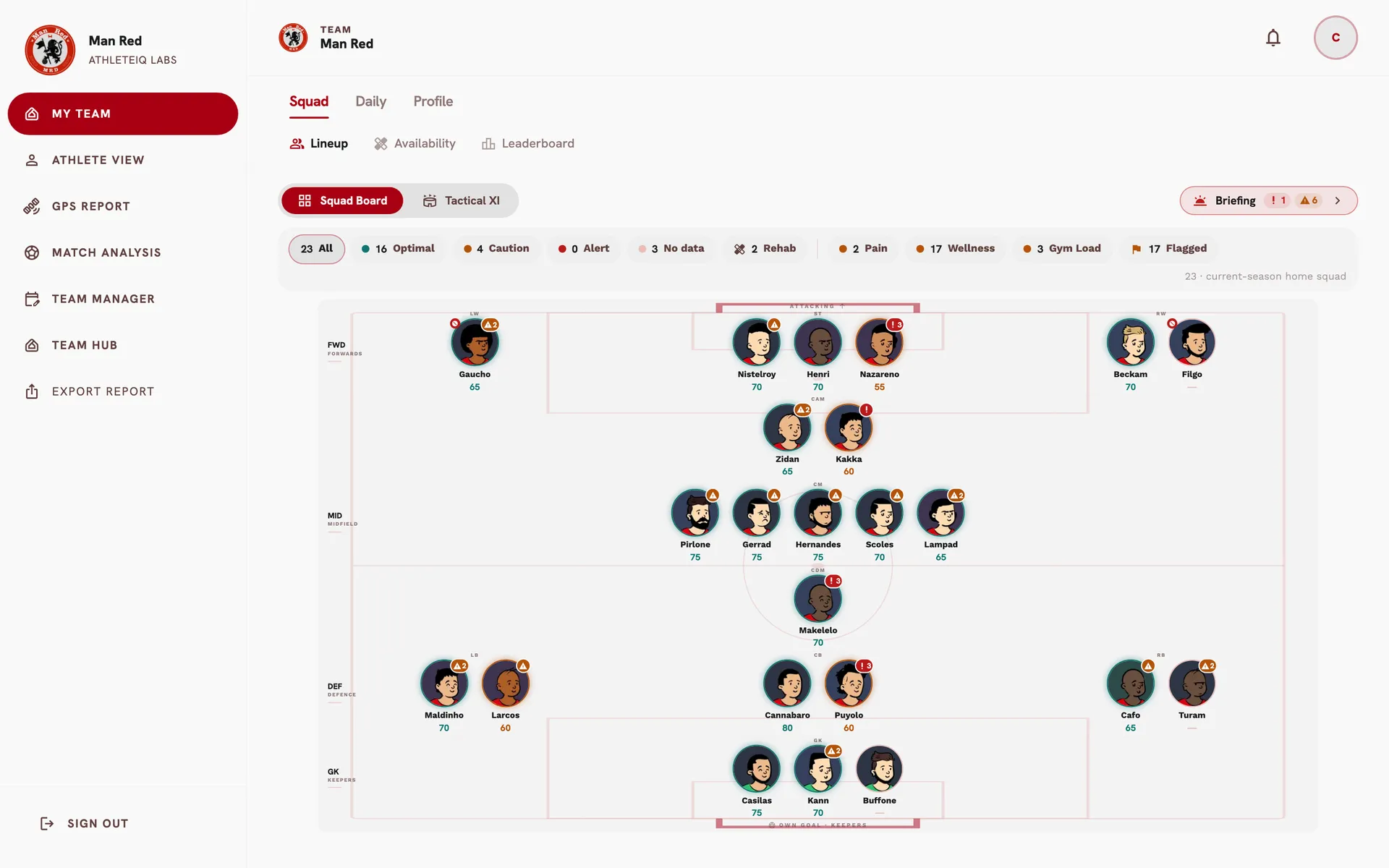
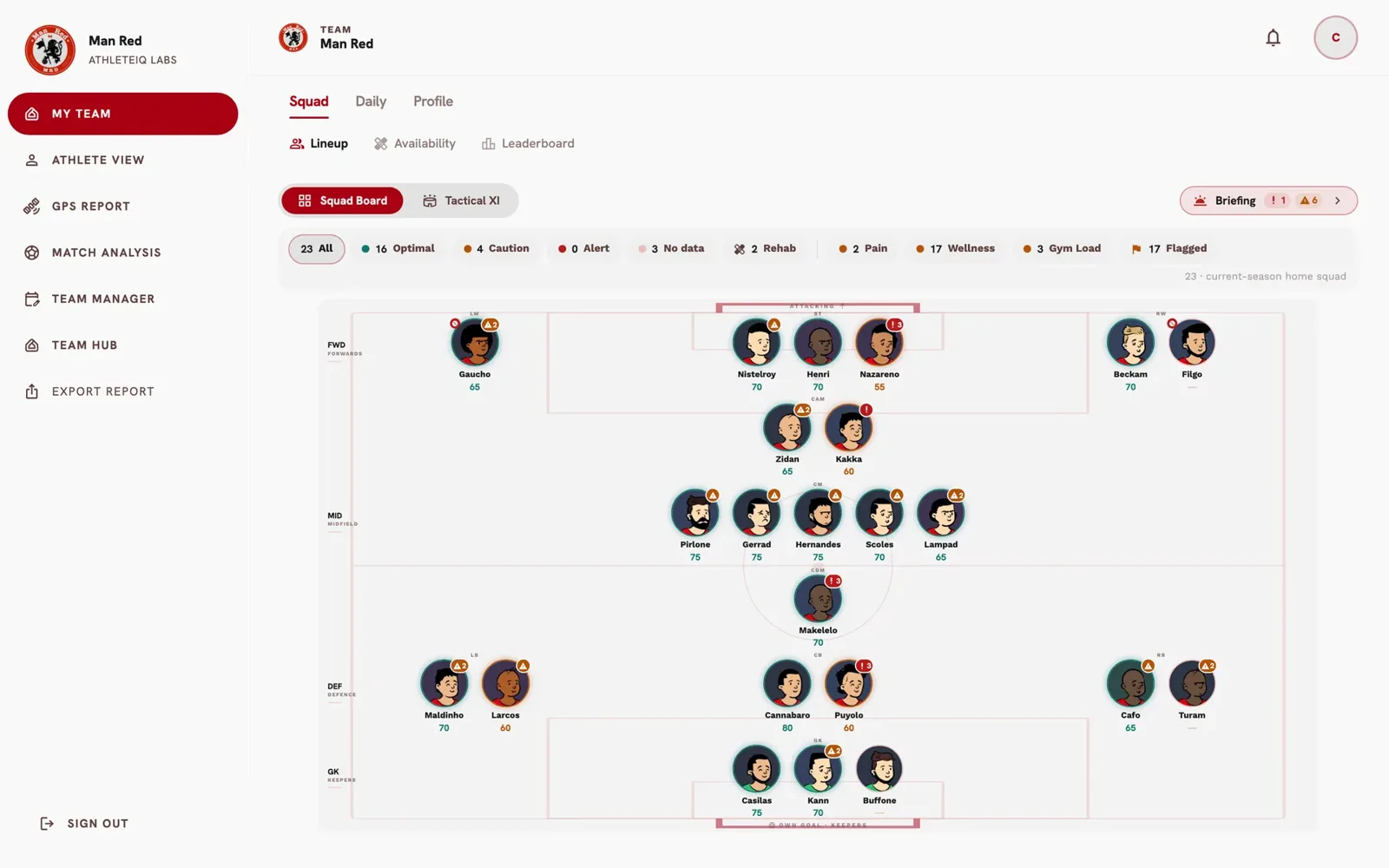
The Squad Board is a real screen from our demo club, Man Red; the other visuals are drawn from its data. Every name and number is fictional.

The Squad Board: the whole squad laid out by position, each player showing readiness, pain and availability flags.The Squad Board: the whole squad laid out by position, each player showing readiness, pain and availability flags.
Morning BriefingSun · 08:30
Today1 alert · 6 to watch
Striker · #25Alert
  • Wellness z-score −2.1, well below their own baseline

    Wellness check-in · 2d ago

  • Distance per session +14% against the prior 2 weeks

    GPS · today

  • Session effort 5 of 10, 210 AU

    Session RPE · 2d ago

Verdict computed by rules · every line cited

Reads the systems you already use

  • Catapult
  • VALD ForceDecks
  • VALD DynaMo
  • ChronoJump
  • Kinvent
  • BePro

A day at the club

One day. One squad. One place to look.

Follow a match week the way your staff lives it — each moment below is drawn from what the product shows, with our demo club's data.

  1. 07:45

    Wellness, from the athlete's phone

    Athletes answer your club's own daily form on their phones, prompted by a push reminder. Sleep, fatigue, soreness, stress and pain are in before anyone reaches the training ground — and the squad grid sorts itself by risk.

    Mobile app · push reminders · Hooper score

  2. 08:30

    The Morning Briefing

    One page per day: who is flagged, and why. Every sentence is cited to its source — GPS, session effort, wellness, force plate — and the verdict comes from fixed rules, the same ones that colour the Squad Board. Nothing to take on faith.

    Cited facts · rules-based verdict · today's fixtures and birthdays

  3. 09:15

    Availability and return to play

    The medical department declares who is available, with an expected return date. Players coming back are tracked phase by phase against the load they have actually shown — and coaches see availability, never the clinical record.

    Declared availability · return-to-play cohort

  4. 10:30

    Training, measured against each player

    The GPS session lands in a daily table coloured against each player's own best for that match-day — not a squad average. Weekly and season views, per-drill breakdowns, each player's worst-case minutes, goalkeeper dive load, and a live pitchside view during the session.

    Daily · weekly · season · per drill · live

  5. 15:00

    Force, jumps and the gym

    CMJ, SJ and IMTP from your force plates and jump systems in one squad profile, with who is behind on testing. Gym programs go out to athletes and come back logged, with e1RM, velocity-based training and load-velocity profiles.

    Squad profile · VBT · e1RM · programs

  6. Saturday

    Pre-match: the week in review

    Before the squad travels, the week's training load is read line by line against the week before — distance, high-speed running, accelerations, PlayerLoad — with anyone on managed load set aside.

    Pre-match · by squad line · week on week

  7. Sunday

    Match day

    The match events land beside the GPS: shots and turnovers on the pitch, every pass, possession and pressing — and each player's minutes and load from the same ninety minutes.

    Event data · GPS · minutes

  8. Monday

    Post-match: who is still recovering

    The morning after, a countermovement jump is read against each athlete's own best — split by starters, substitutes and those who did not play — before the next session is planned.

    CMJ · MD+1 · % of season best

Planning

From the season map to the last cone.

Coaches design the training here, plan it against the fixtures — and then see what actually happened.

Team Manager holds fixtures and competitions, the season map, mesocycle blocks and match-to-match microcycles. Every training day takes its match-day label from the calendar, and a phase review closes each block.

Session sheet PDF: crest, match-day label, previous and next match, and one block per drill with its diagram, work, rest and expected load.

Gym

The gym, from plan to logbook.

Build the session, send it to your players, and see what each one did.

  1. Create
  2. Plan
  3. Send
  4. Log
  5. Track
  • 01

    Create the session

    Pick the exercises, sets and reps from the club's library.

  • 02

    Plan the week

    Put each session on the right day, counting down to the next match.

  • 03

    Send it to who needs it

    The whole squad, a group, or just one player coming back from injury.

  • 04

    Logged on the phone

    Players record what they lifted, with a video of every exercise.

  • 05

    Watch them get stronger

    Each player's strength and the squad's load, week after week.

GPS · Worst Case Scenario

The hardest minutes, not the average.

Session totals hide the moments that decide a match. From the raw 10 Hz GPS data, the platform finds each player's most demanding 1-, 3-, 5- and 10-minute windows — per session and per drill.

Measured on

  • Distance
  • HSR
  • Sprint
  • HSR and sprint relative to each player's top speed
  • PlayerLoad
  • Braking
  • Windows never span two periods, so half time never dilutes a peak.
  • Each peak is read against the player's own match reference — the median of their three best match peaks — and then their position's.
  • A per-drill breakdown shows which drill produced each player's peak.
  • It feeds the 60-second capacity badge and return-to-play criteria.

Requires 10 Hz GPS data.

peak

Match analysis

Every match, analysed.

Upload the match events and see how the team really played — who had the ball, how it pressed, where the chances came from — and, across the season, the patterns behind the results.

Possession, pressing intensity and high-speed running with and without the ball — the four numbers that tell you how the game went.

What's new

Not another dashboard over one vendor's data.

Most clubs stitch this together from vendor portals, spreadsheets and a Power BI file that one person understands. Here is what changes.

One athlete, every vendor

Tracking, force plates, the gym and the encoder, match events and wellness all resolve to the same person — whichever vendor supplies them. The career record grows with the player, youth to senior, season after season, instead of restarting in each export.

Verdicts you can audit

Flags come from fixed, documented rules, and every sentence in the briefing names where it came from. If a coach asks “why?”, the answer is on the screen.

Two gates before an alarm

A wellness flag needs a real deviation from the athlete's own baseline and a meaningful raw answer. Fewer false alarms, so the real ones get read.

Compared with themselves

Traffic lights measure each player against their own best for that match-day, so a full-back and a centre-back are never judged on the same number.

Medical stays medical

Clinical records are locked at the database. Coaches see availability; the medical department sees the case.

Reports that are documents

Add any chart or table to a report cart and export native PDF or Word — tables that paginate and stay selectable, not screenshots.

Messy data, cleaned once

Free-text drill names, exercise spellings and vendor formats are resolved to one standard, once, and stay resolved.

Your club

Your crest. Your colours.

The platform wears your club's identity — crest, colours, light or dark. Drag to compare.

DarkClub light

Club management

The club office, beside the performance department.

Contracts, money, deadlines and people — for the club admin, in the same platform and under the same access rules.

One inbox of what needs a decision: contracts ending, option deadlines, work permits and registrations expiring, payments due or overdue, minors turning 18. Acknowledge it, snooze it or open the record behind it.

Also for the admin

  • Athlete dossier with encrypted identity numbers, revealed only with an access log
  • Guardians for minors
  • Staff contracts
  • Staff and athlete invitations
  • Forms built once and distributed to every team
  • Seasons, integrations and club identity

The platform

Everything, in one place

Every module below is live in the product today.

01

GPS and load

  • Daily, weekly and season GPS report
  • Traffic lights against each player's best
  • Worst Case Scenario from 10 Hz data
  • Per-drill breakdown
  • Live pitchside view
  • GPS and goalkeeper targets
  • Goalkeeper dive load and asymmetry
  • Squad load and ACWR
02

Force, jumps and mobility

  • Squad neuromuscular profile
  • CMJ, SJ, single-leg jumps
  • IMTP
  • Testing compliance
  • Left–right asymmetry
  • Flexibility and range of motion
03

Strength and gym

  • Template builder with a per-set grid
  • Programs by week or match-day cycle
  • Dispatch to squad, groups or one athlete
  • Athlete logging on the phone
  • Coach group logging and Excel import
  • Squad strength grid with e1RM
  • Team KPI lifts
  • Tonnage and workload
  • VBT and load-velocity profiles
04

Wellness and readiness

  • Daily form on the athlete's phone
  • Wellness and session-effort kiosks
  • Readiness score and triage
  • Six-pillar alert engine
  • Recovery checklist per match
  • Push reminders
05

Briefing, lineup and availability

  • Morning Briefing with cited facts
  • Squad Board and tactical XI
  • Declared availability
  • Return-to-play cohort
  • Leaderboard
06

Medical and nutrition

  • Medical caseload and athlete record
  • Availability shared without the diagnosis
  • Body composition
  • Nutrition targets and squad grid
07

Planning and match

  • Team Manager: fixtures, competitions, season map, blocks, microcycles, review
  • Training planner with expected load
  • Drill library matched to the GPS periods
  • Drill board: 2D and 3D, animation, video export
  • Share by link and QR
  • Session sheet PDF
  • Plan vs actual
  • Team calendar
  • Match analysis and match report from the event data
08

Club management

  • Club Desk alerts and tasks
  • Contract register, renewals, amendments, options and clauses
  • Contract intake from DOCX or PDF
  • Earnings profiles, wage bill and budget
  • Payment ledger and 90-day cash
  • Transfers and suppliers
  • Staff contracts
  • Athlete dossier and guardians
09

Reports and athletes

  • Report cart with PDF and Word export
  • Custom forms
  • Athlete passport
  • Athlete app: forms, workouts, results
  • Staff and athlete invitations
  • Squad handover between seasons

More from inside

Athlete passport
Leaderboard
Team calendar

One platform, a view for each role

Coach and analyst

The squad, the session and the week.

Club admin

Teams, staff, contracts and integrations.

Medical

The caseload, kept confidential.

Nutritionist

Body composition and targets.

Athlete

Forms, workouts and their own results.

See your own squad in it.

We'll walk your staff through the demo club, then map your GPS, force-plate and gym data onto the platform.

Already a client? Sign in